How it works
The Integrations & connectors section opens the platform up to the outside world: expose data, authenticate through an external provider, and synchronise with the business tools you use for training.
Web services and API
- Web services access — A programmatic entry point to the platform.
- Web services access configuration — Authorised addresses and access settings for the web services.
- API documentation (Swagger) — An interactive reference of the available API endpoints.
Authenticate with the web services
- API key — The SOAP web service and the REST API accept an API key sent in the
x-api-keyheader. It is set by your hosting provider in the server configuration. This is the recommended method: a valid key is enough, with no need to authorise the caller's address. - Web services username and password — Those set in Web services access configuration work on the SOAP web service and on the REST API (HTTP Basic authentication), provided both are filled in.
- Every refusal is logged with its reason (the key and the password are never recorded): if an integrator's call fails, the log tells you why.
Authentication and OAuth2
- OAuth2 — Allow third-party applications to connect securely.
- For user login (Keycloak SSO, SAML, CAS, LDAP), see Authentication & SSO.
TMS connectors
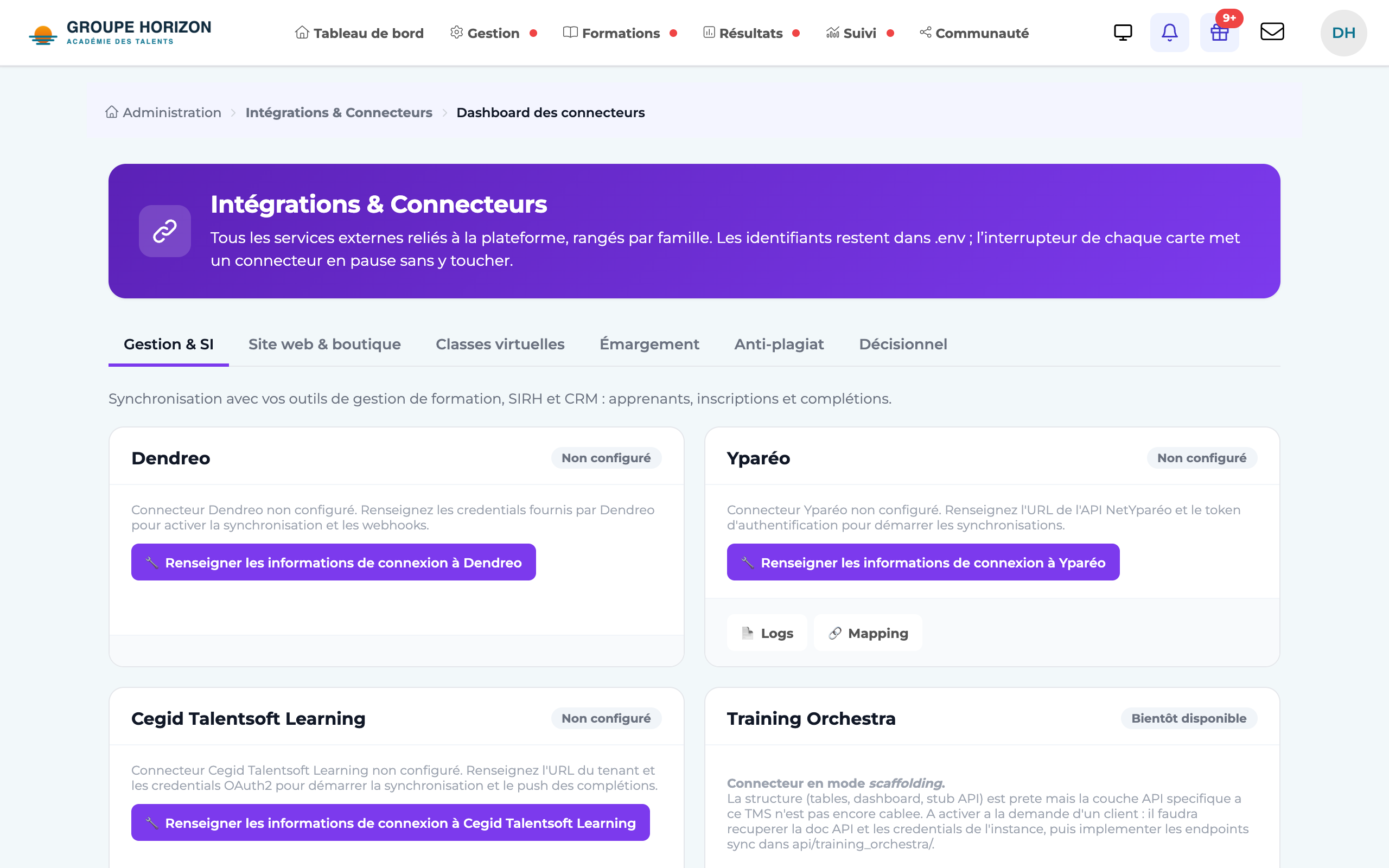
DGTLMS synchronises with external training management systems:
- Yparéo, CEGID HR, Training Orchestra, Gestibase, Alcuin.
- Monitor — A connectors dashboard, synchronisation logs and mappings (field matching) let you follow and adjust the exchanges.
- Migrate from Cegid LMS — A dedicated page takes over a Cegid LMS platform (users, groups, courses and their files, sessions, results): see the article Migrate a Cegid LMS platform to DGTLMS.
- Migrate from Moodle or 360Learning — Available on request, after a study of your project: book an appointment at calendly.com/dgtconcept. See the articles Migrate a Moodle platform to DGTLMS and Migrate a 360Learning platform to DGTLMS.
Website and shop (WordPress / WooCommerce)
- DGTLMS Connect — A WordPress plugin, downloaded from the Site web & boutique (website and shop) tab: access from your website without a second password, each learner's "My trainings", course sales with WooCommerce and seat purchases by companies. See Connect a WordPress / WooCommerce site (DGTLMS Connect).
Events
- Event configuration — Triggers and notifications linked to actions on the platform.
Typical steps
Open
Administration → Integrations & connectors.Choose the integration
Web service, OAuth2 or TMS connector.
Fill in the settings
Keys, URLs, field mappings.
Test
Check in the logs that the synchronisation works.
- TMS connectors require precise field mapping: take the time to check it before a large-scale synchronisation.
- The logs are your best diagnostic tool when a synchronisation fails.
- For external reporting, Power BI (OData) is often simpler than a connector (see its article).