- The right to create / edit courses.
- Your content ready (SCORM, PDF, videos…) if you plan to import it.
Steps
Create the course
From Courses, create a new course and give it a title.
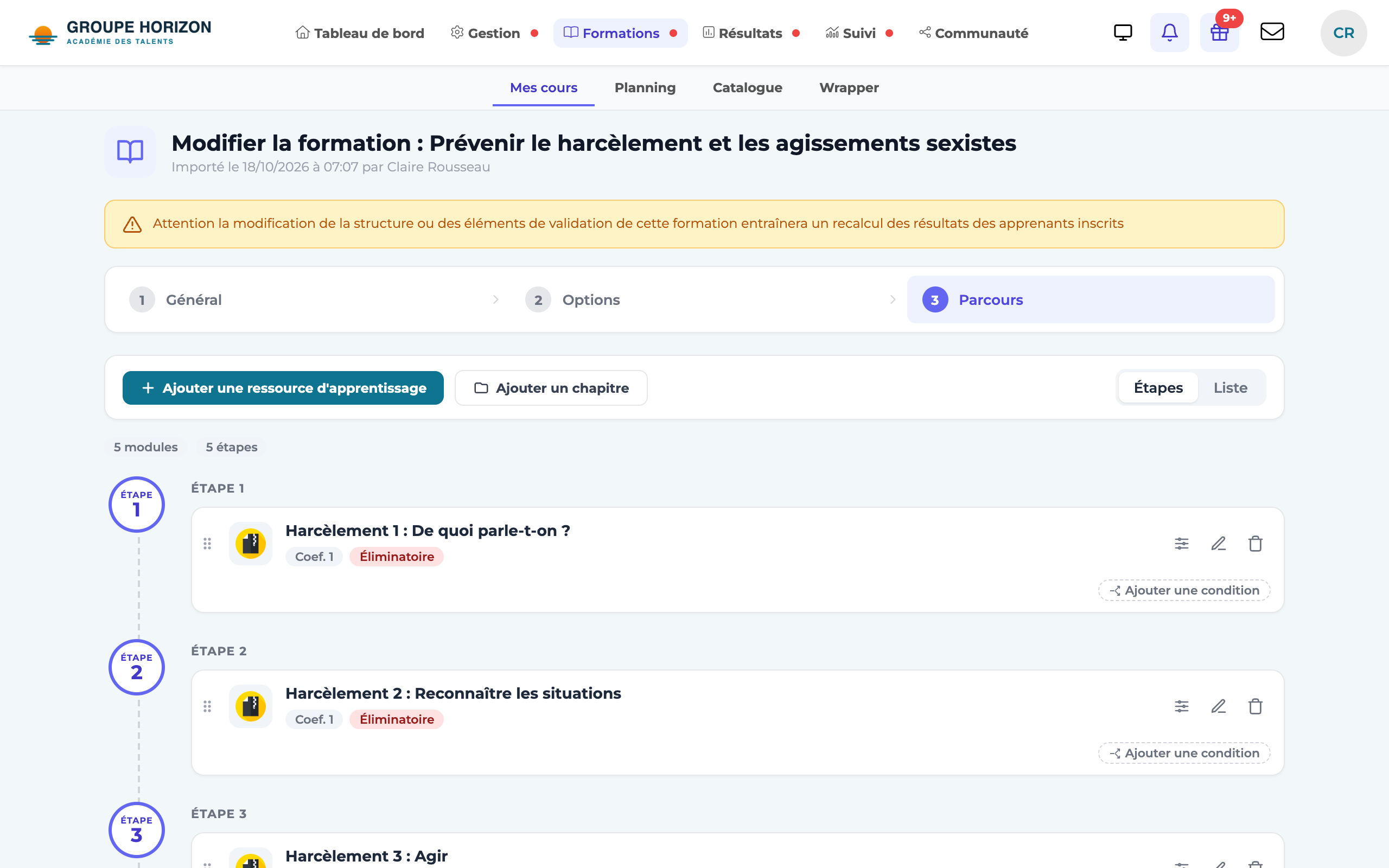
Add activities
Insert the modules: SCORM / cmi5, quiz, document, video, virtual classroom, assessment… (many types are available).
Organise
Order the activities (drag and drop using the handle), group them into chapters if needed, and set the rules (prerequisites, number of attempts). To place an activity in a chapter without drag and drop, open its ⋮ → Move to… menu and choose the chapter (or Course root). The Add a learning unit / Add a chapter buttons stay pinned at the top of the list, so they are within reach even on a long course.
Configure the options
Content locking, the SCORM 2004 sequencing (SN) engine, adaptive courses (conditions), and so on.
Reuse (optional)
Mark the course as a template to use it again from one session to the next.
Save
The course is ready to be placed in a session.
- See the course as a learner — in the session, click the course to open its page, then Launch: it opens in the course player. Prerequisites and conditions only block learner accounts: to check them, log in with a test learner account.
- Create the course without any activity: at the step where you choose the activity type, Save the empty course saves its title and description. It stays as a draft and appears in Standalone courses, where you can add its activities later.
- The same course can be used in several sessions: an independent copy (edited separately) or a shared link (a single piece of content, updated everywhere).
- To import a SCORM package, see the dedicated article (Content category).