- The right to manage sessions.
Steps
Open the sessions
Go to
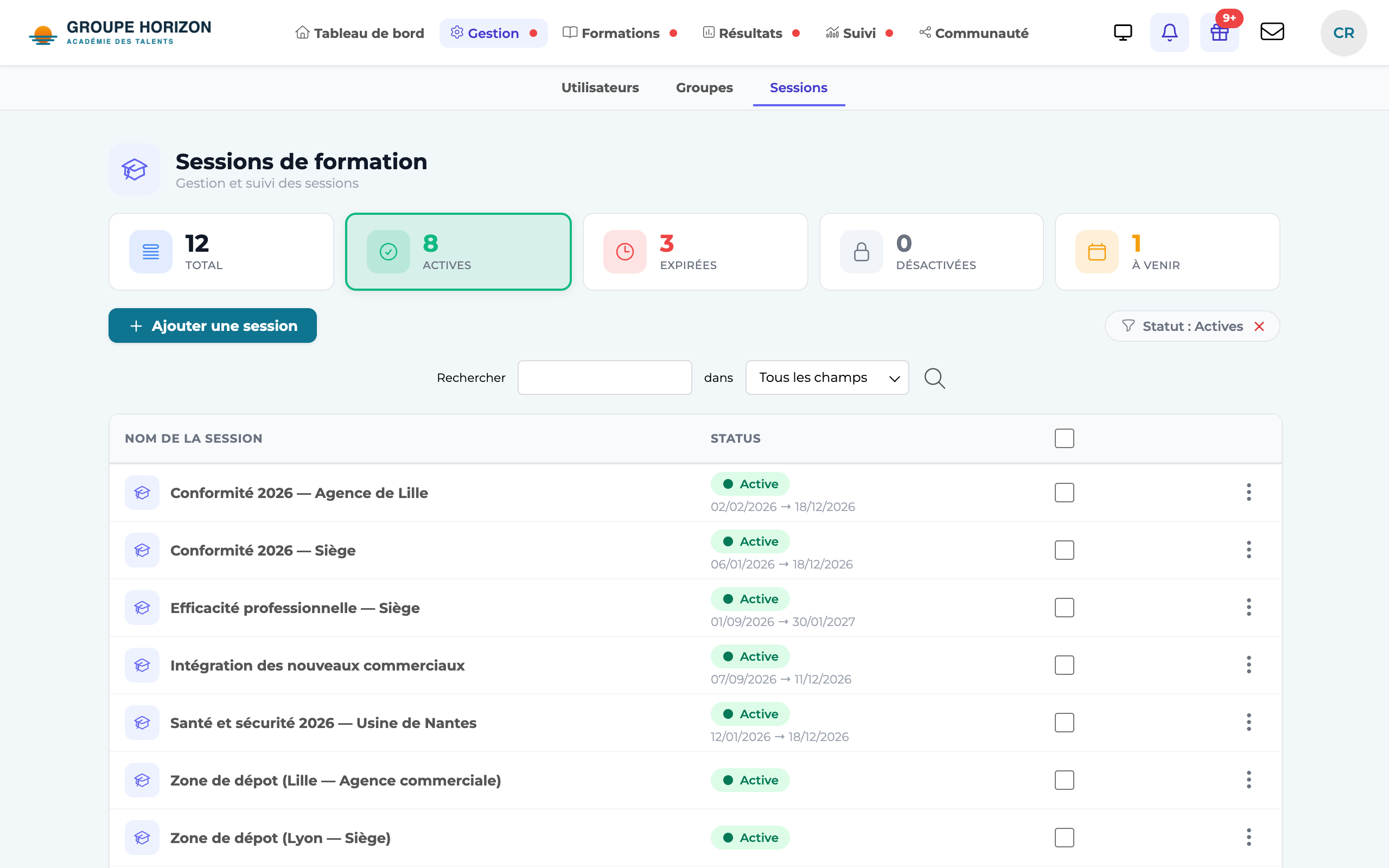
Manage accounts → Sessions. The list shows the status of each session (upcoming, in progress, expired).Create a session
Click Add a session and give it a name.
Set the period
Enter the start date and the end date: they determine the session's status and availability.
Attach it to a site
On a multi-site platform, choose the site concerned.
Save
The session appears in the list and has its own record.
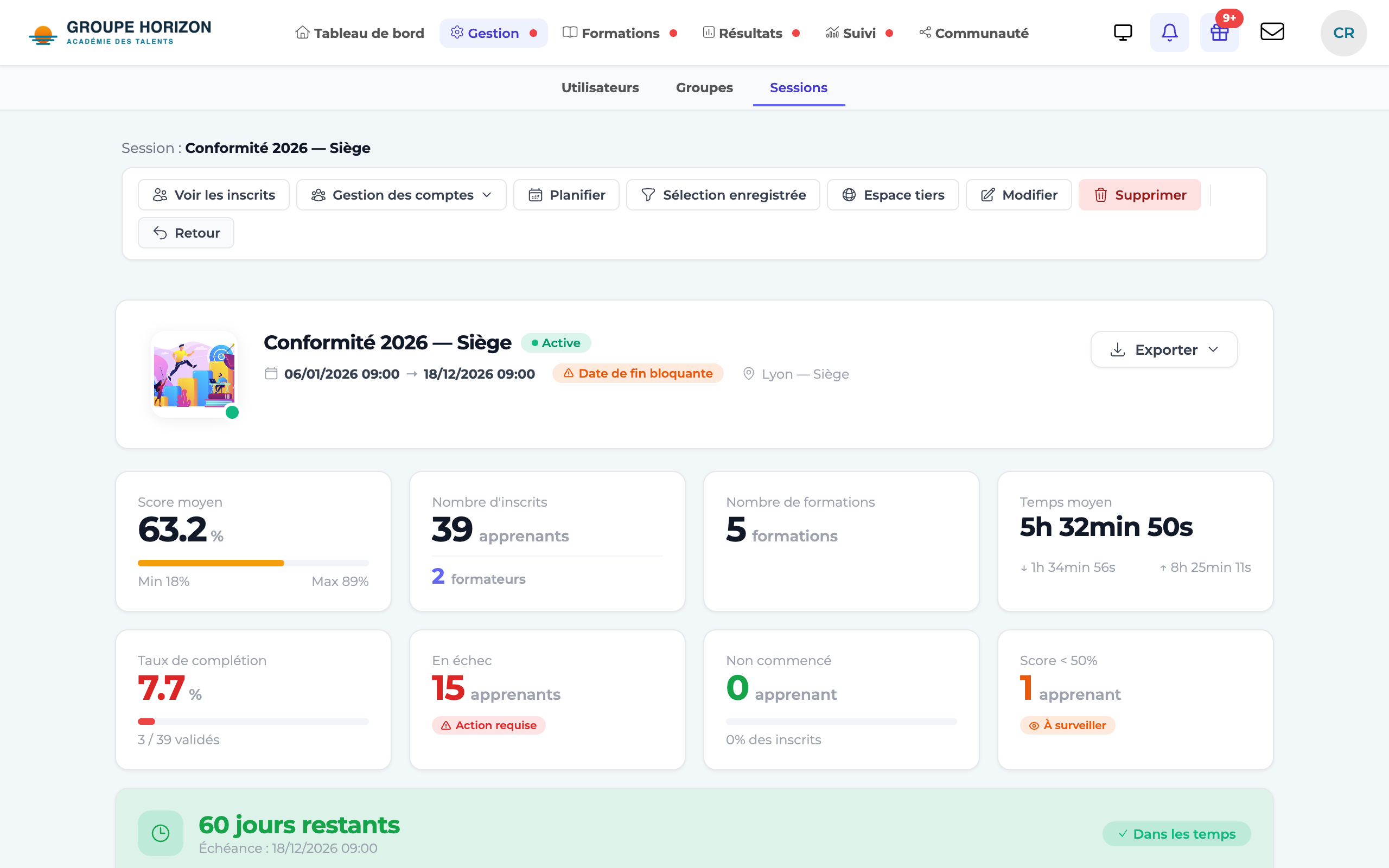
- From the session record, you add courses, enrol learners and groups, and follow the results.
- You can duplicate an existing session to start from a template without building everything again.
- In the session list (Management → Sessions), Search the table… filters as you type, and the Active, Expired, Disabled and Upcoming cards cover all sessions, not just the page on screen.