Course settings
- Title, description, keywords — the identity of the course (AI-assisted generation is available).
- Training type — e-learning, blended learning, face-to-face, virtual classroom or on-the-job training; it is shown in each user's language, on the course outline and in reports (
@m_course_nature@). - Visual — colour and icon, used in particular in grid view.
- Estimated duration — the estimated time needed for the course, shown to the learner.
- Course pass mark — the minimum score needed to pass the course as a whole (can be switched on or off).
- Prerequisites between activities — set the order by requiring one activity to be completed before another.
- SCORM 2004 sequencing (SN) — for compatible content, switch on the sequencing & navigation engine (a guided path imposed by the content).
- Custom fields — your own metadata (category, reference, target audience…).
End of the course
Two settings decide what happens when a learner reaches the end, or cannot get there.
- Notify the group manager(s) on completion — as soon as a learner completes the course, the group delegates of their groups receive an email (learner, course, passed or completed status, date), in their own language. Useful for managers who follow a cohort without logging in to the LMS.
- Mark as failed when the learner is stuck — if the learner fails an eliminatory activity and has no attempts left, the rest of the course is closed to them: they can no longer progress. Without this setting, their course would remain "in progress" indefinitely and their progress would stall. When it is ticked, the course switches to failed as soon as there is no way forward, and the session follows automatically.
Both options are kept when the course is duplicated: set them once on your template course and every copy inherits them.
Where to set them
A course is edited in three steps: General, Options and Content.
General
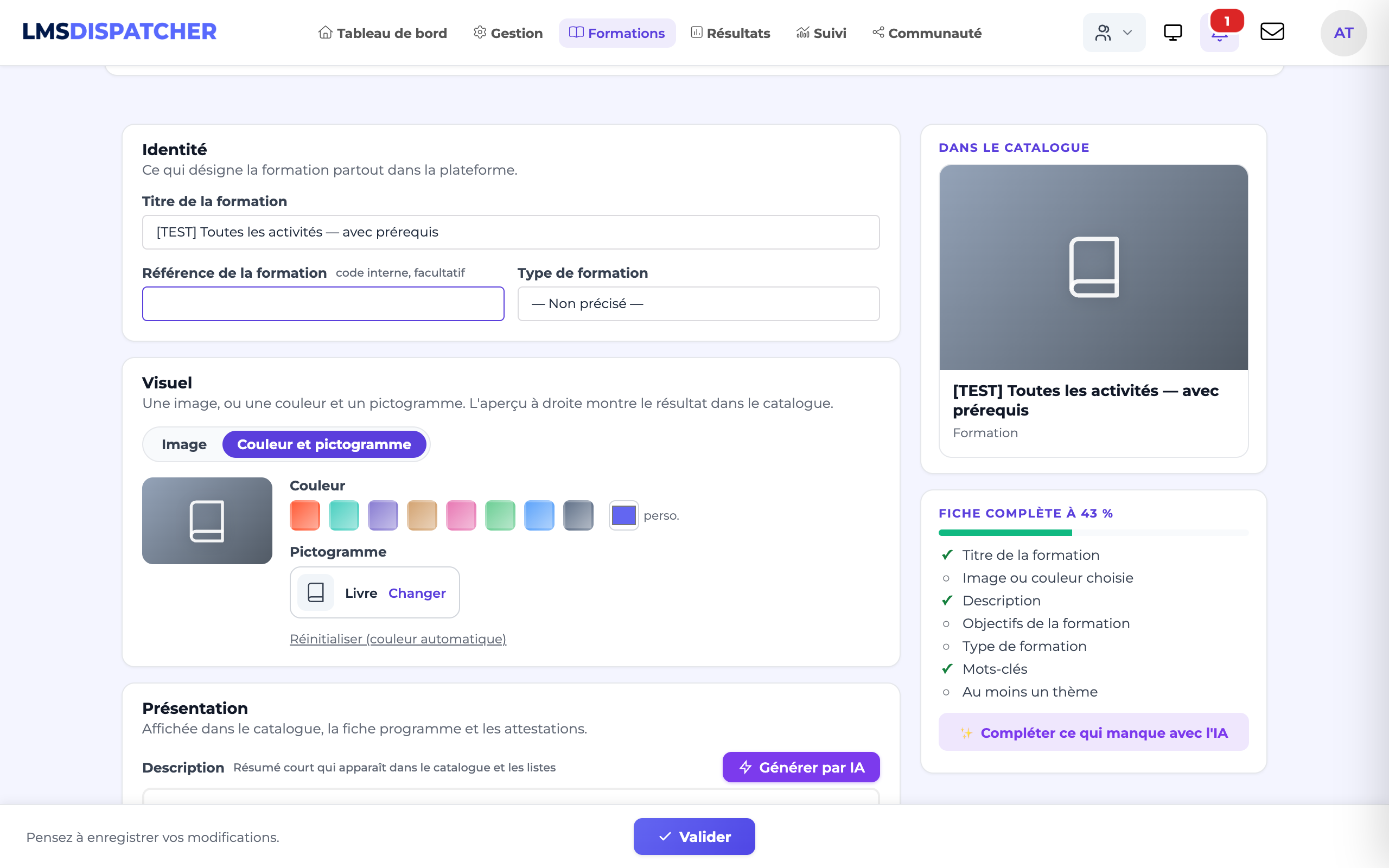
four blocks: Identity (title, reference, type), Visual (an image, or a colour and an icon), Presentation (description and objectives, with AI generation) and Catalogue and search (keywords as tags, themes). On the right, the card as it will appear in the catalogue and a "Course details x % complete" gauge listing what is missing; the Fill in what is missing with AI button fills in the empty description, objectives and keywords in one go.
Options
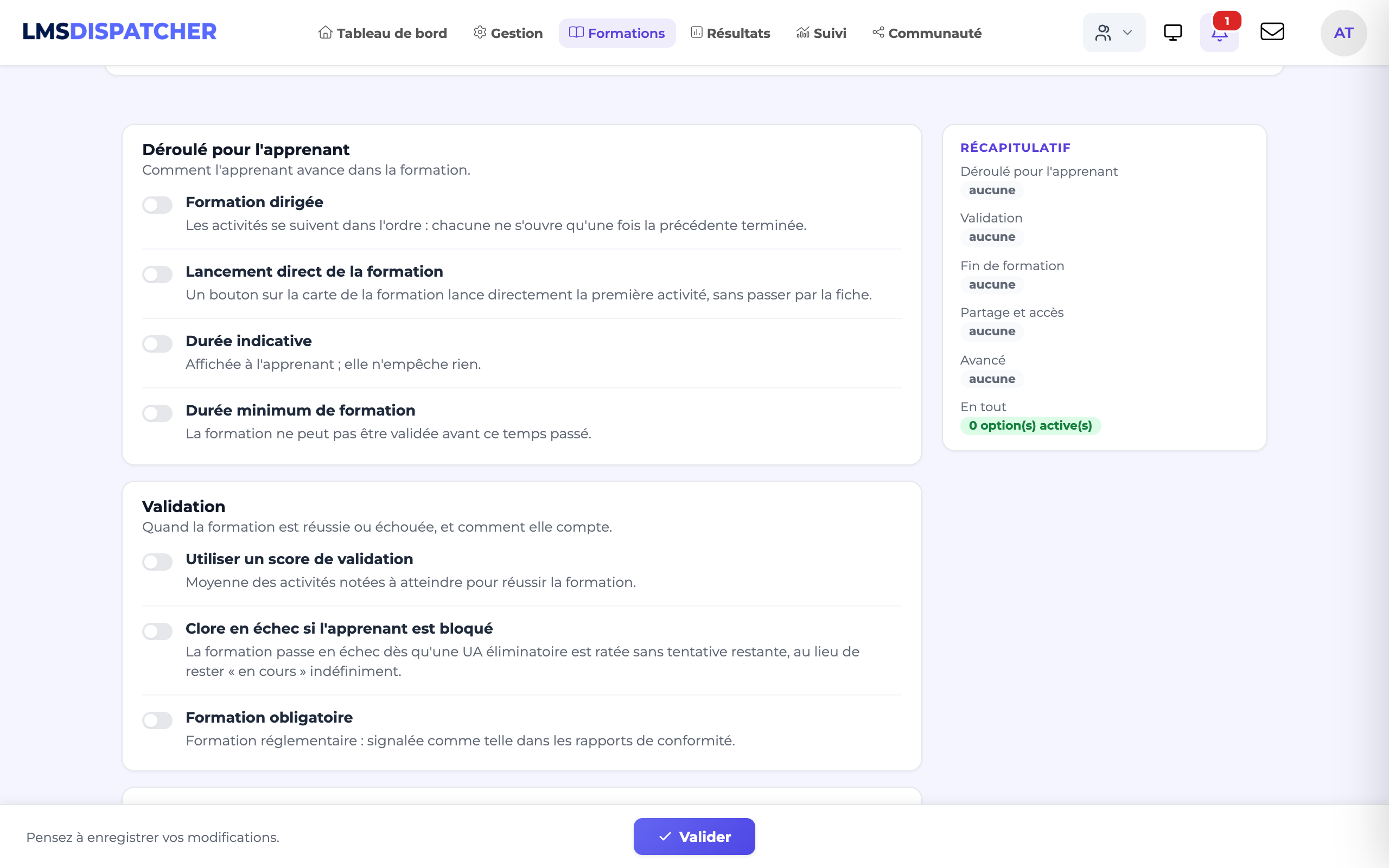
settings grouped by purpose, each with a one-line explanation and its detail that unfolds when switched on: Learner path (directed course, direct launch, expected and minimum duration in hours and minutes), Completion (pass score, fail if blocked, mandatory course), End of course (notify referents, confetti), Sharing and access (reusable as a template, LTI, lock) and Advanced (SCORM 2004 sequencing, indexing for the AI companion, administrators only). On the right, a summary of the active options.
Content
the activities, their prerequisites and, if needed, SCORM sequencing.
Confirm to save.
- The course pass mark is separate from the pass score of each activity (see Detailed activity options).
- Settings related to dates and access belong to the session that contains the course — see Schedule a session.
- Changing the pass mark or the prerequisites may trigger a recalculation of the tracking of learners who are already enrolled.
- Mark as failed does not apply retroactively: the status of a learner who is already stuck is updated the next time they open the course, or after the results are recalculated.
- Granting an extra attempt to a stuck learner releases them: their status goes back to "in progress" at the next recalculation.