What it is for
The training record is a printable document that attests to a learner's progress through a course. It exists for all courses, including those assigned directly to the learner, outside any session, which until now had no export.
- Have access to the learner's record or the session record.
- You only see the courses within your scope: the ones you can view in Results.
For one learner, from their record
Open the learner's record
From
Users, a session or a result.Open the Export menu
It offers a Training record for each of their courses, listed under their session, and in a Training outside a session group for those assigned directly.
Or click in the Results table
Clicking a course opens its record in a window; clicking a session opens the session record, which includes each course in the session in order. Open in a new tab displays the document full page.
Print or save as PDF
Print and Save as PDF buttons (direct file download) at the top of the document.
For all the learners in a session
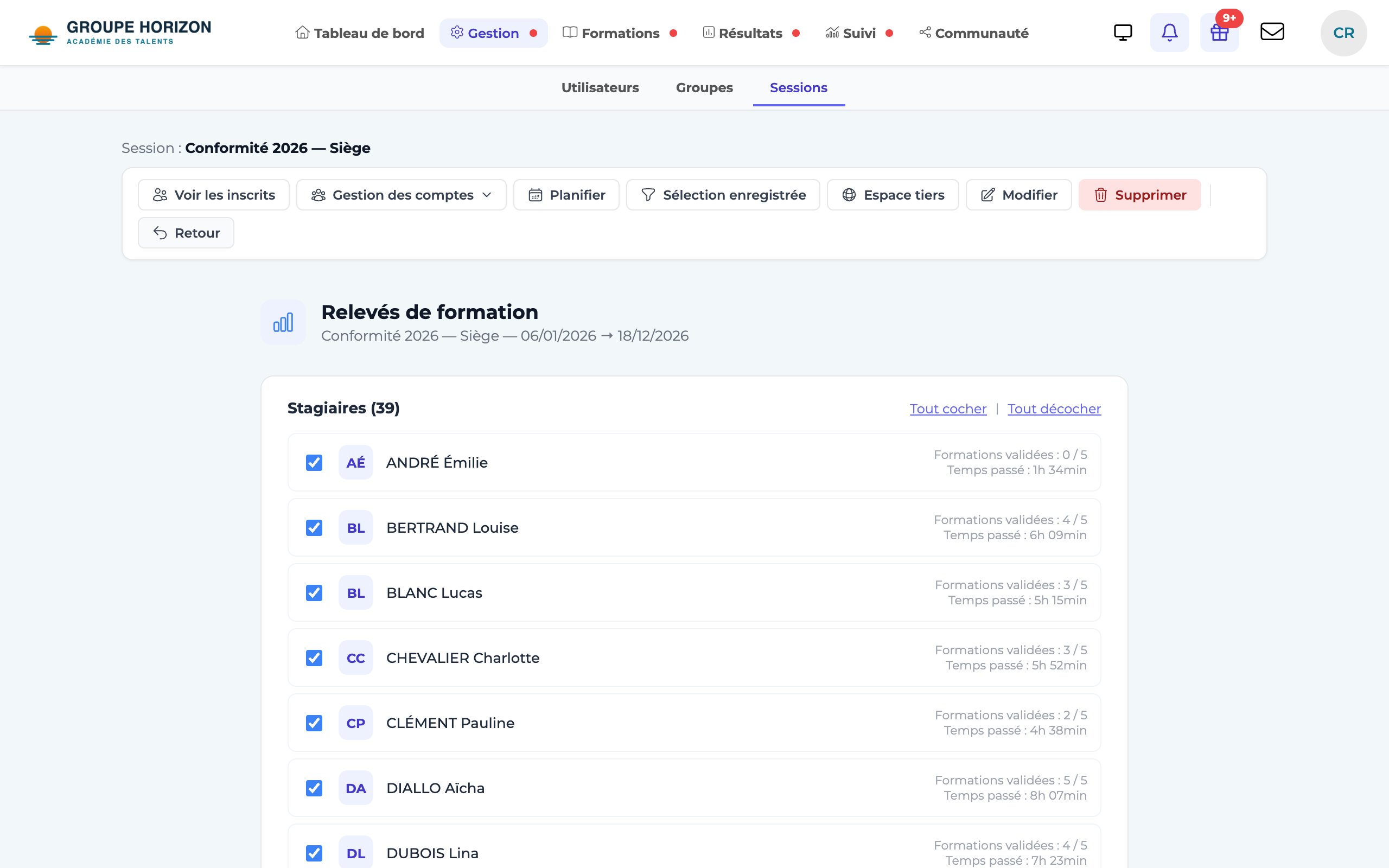
Open the session's records
On the session record, Export → Training records menu.
Choose the learners
The list shows, for each one, the courses passed and the time spent. Tick the ones to include (Select all / Deselect all).
Generate the records
One record per learner, one page each.
Print or save as PDF
Print and Save as PDF buttons: all the records in a single document.
What the record contains
| Section | Content |
|---|---|
| Header | Learner's name, email and profile, course (or session and its dates) |
| Summary | Status, score, pass mark, time spent, progress, modules passed, attempts, first and last attempt |
| Module detail | Each module with its status, score and time; chapters appear indented |
- A site's default session (drop zone) counts as "outside a session".
- A course in which the learner has results without being enrolled also appears, so that none of their history is lost.
- In the Results table, only the rows within your scope open a record; the others keep their link to the Results page.
- Group delegates and learners themselves do not yet have access to this record.