How it works
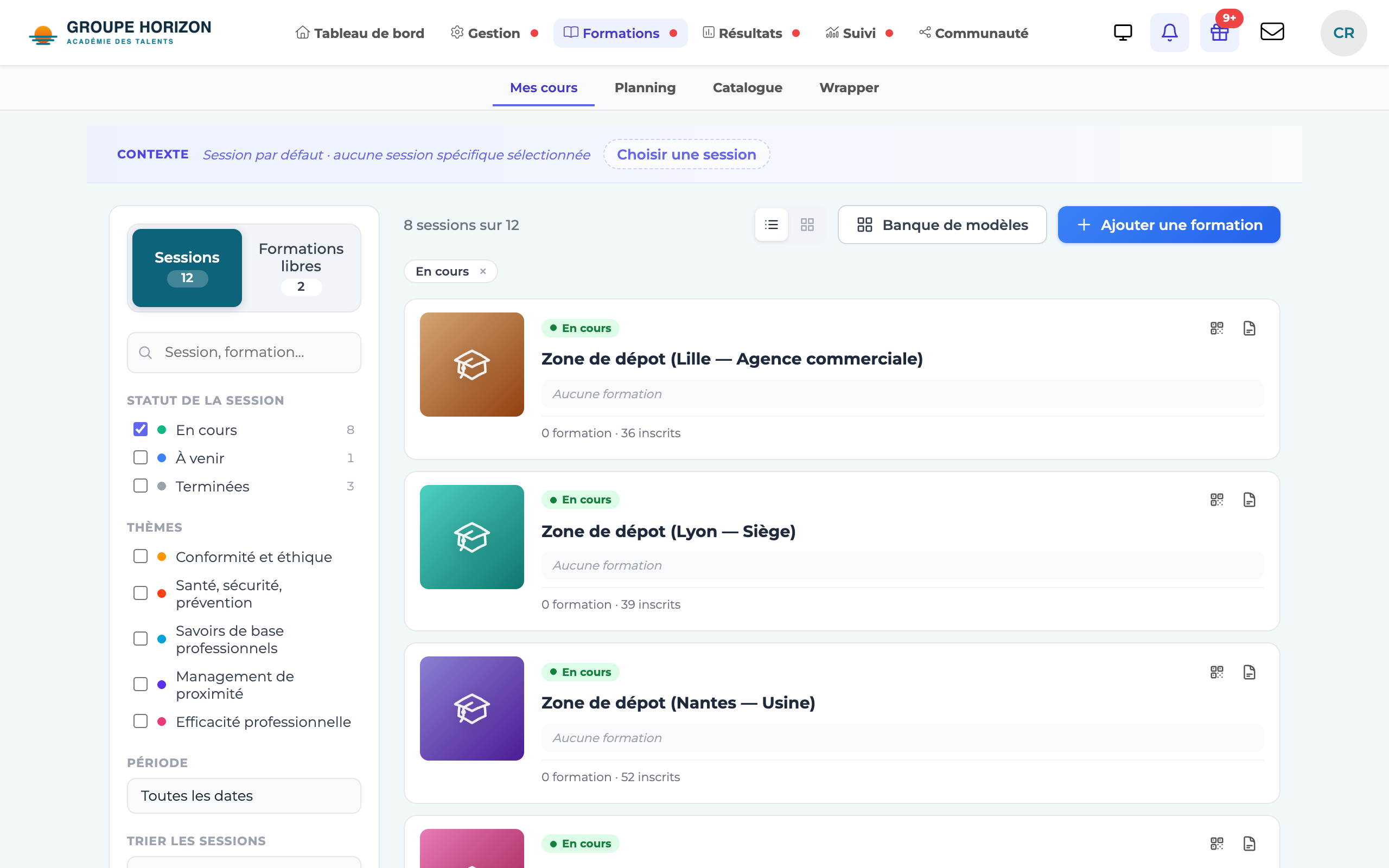
The Courses screen shows your sessions as tiles. Each tile carries the session's visual (its cover image or, failing that, a colour of its own) and a mini-path that sums up how it unfolds.
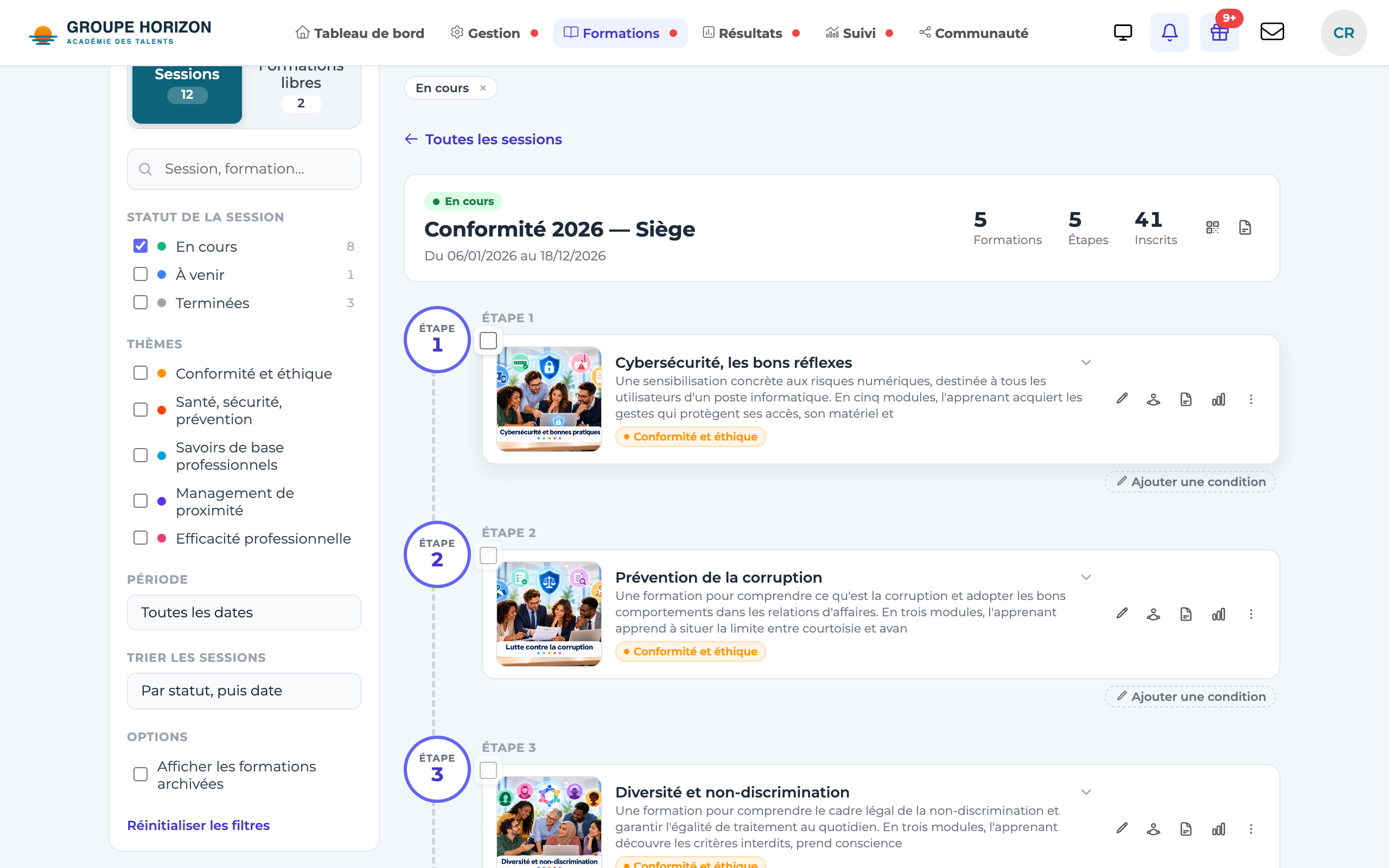
Clicking a tile opens the session's learning path: its courses are arranged in steps, worked out from the prerequisites between courses. When the order is free, several courses sit on the same step and are taken in parallel.
Find a session (administrator, instructor)
Open the Courses tab.
Filter using the left-hand panel: search (Session, course…), Session status, Topics, Period, and sorting of the sessions.
Click a tile
the session's path appears, step by step, with the number of enrolled learners for each course and the usual actions (edit, assign, record, statistics).
Reset filters in one click to return to the full list.
Courses that are not attached to any session remain available in the Courses outside sessions section.
For learners: My courses
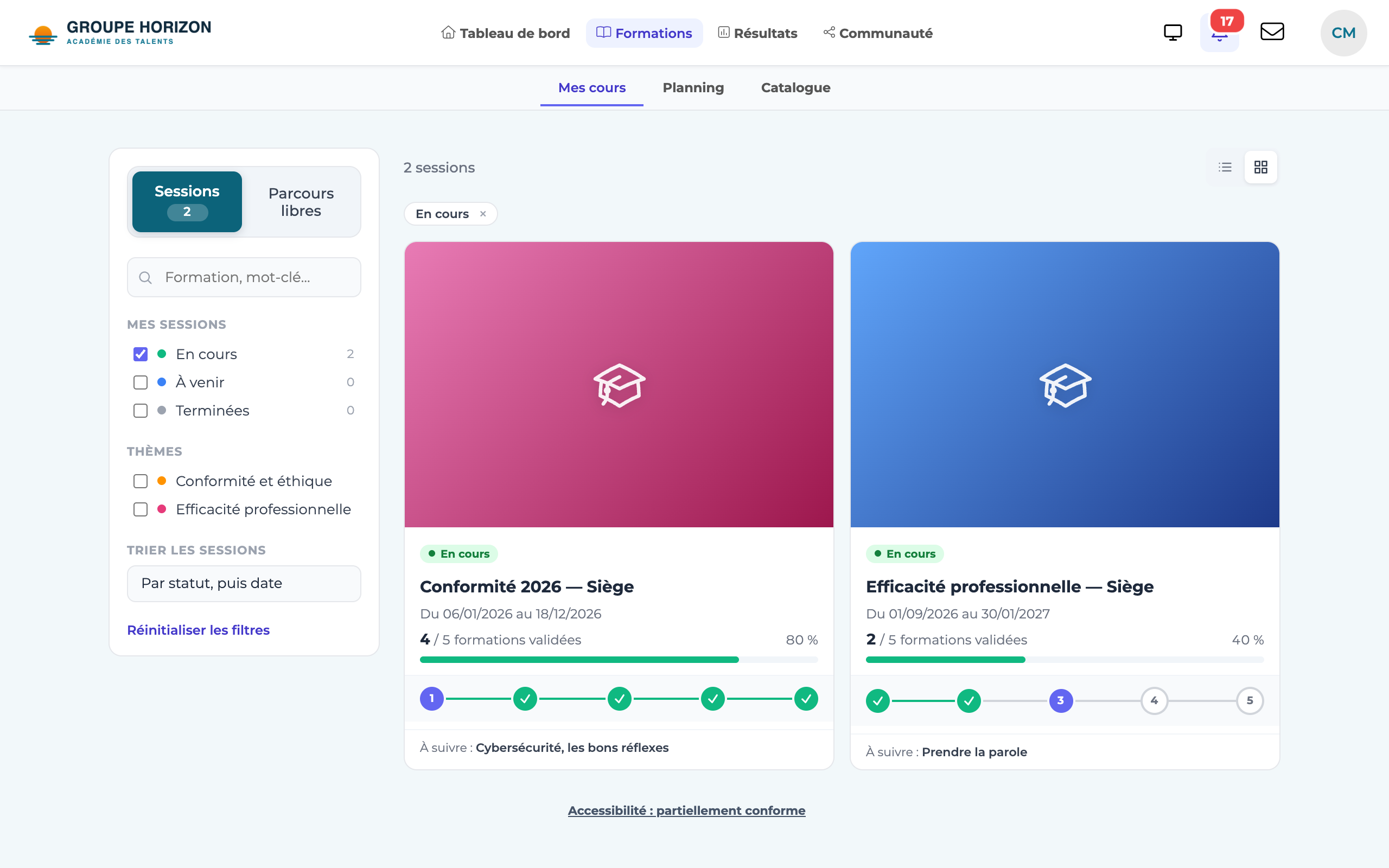
Learners see the same layout, from their own point of view:
- on each tile, the number of courses passed out of the total, and their next course;
- in the path, the state of each course: Passed, Up next, Locked (a prerequisite has not been met) or Upcoming.
Prerequisites between courses are now enforced at launch: a learner can no longer open a course whose prerequisites have not been passed, even through a direct link. Instead, they see a page explaining what is missing.
Three rules prevent learners from being blocked by mistake:
- a prerequisite course counts as met as soon as it is passed;
- a course that has already been started stays open;
- if the learner takes the course in several sessions, it is enough for one of them to allow it.
- To give a session its visual, add a cover image in its settings: it appears on the tiles for the administrator and for the learner. Without an image, the session keeps the same colour on both screens.
- The path loads on demand, when a session is opened: the screen stays fast even with many sessions.
- After an action (editing a course, assigning…), you return to the path of the session you had opened.